Found the content on this page useful? Share it with your team!
Onboarding AI in AEC: How to Use Custom Instructions

.png)
Table of Contents

When you hire a new intern or graduate engineer, you don’t expect them to be perfect on day one. They need to be onboarded into your organization, given context about their role, the company and how you like things done. Without this, they’ll make mistakes and provide outputs which won’t make sense.
AI works the same way.
If you ask an AI tool to write an email, summarize a report or prepare a report without any background, it will try but the results may feel generic or miss the mark. It’s not because AI is bad, rather it doesn’t have the information it needs to work with you effectively.
That’s where Custom Instructions come in.
Contents
- What are Custom Instructions?
- Why this matters in Construction
- How to set up Custom Instructions
- Example: Civil Engineer
- Build Your Own (bullet-point template)
- A note on Memory
- Next steps
What are Custom Instructions?
Custom Instructions are built in fields in tools like ChatGPT which help ‘onboard’ it into the organization. They tell it:
- Who you are
- What you do
- How you like to receive information
- How it should communicate it
By providing background information, your preferences and response guidelines, you can reduce the number of repetitive prompts and receive tailored outputs for every new conversation.
Why this matters in Construction
Construction is a complex, specialized industry. Tools like ChatGPT, Claude, Copilot or Google Gemini are designed for anyone to use. That means without context it may suggest answers which are relevant to everyone, not just AEC.
With custom instructions you can make sure AI understands:
- Your discipline and responsibilities
- Whether you prefer short bullet points or detailed explanations
- The type of units, terminology, or standards you work with
- The tone and format that best suits your reports, emails, or client updates
Think of it as turning a generic assistant into a construction-savvy intern who ‘gets’ your way of working and the industry.
How to set up Custom Instructions
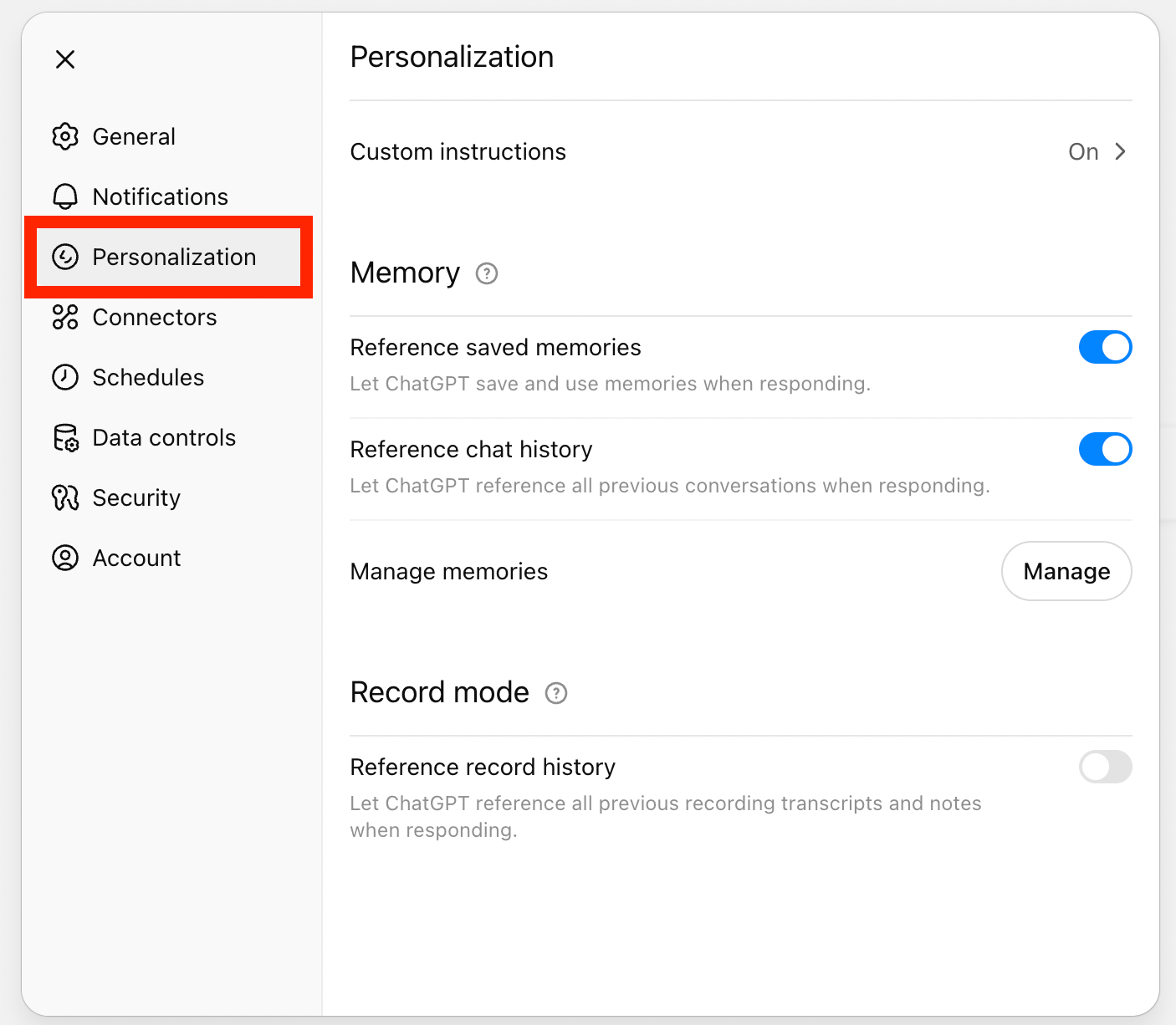
In ChatGPT, go to Settings → Personalization → Custom Instructions. You’ll see a few prompts you can fill out:
1. What should ChatGPT call you?
Add your name or the title you’d like it to use.
2. What do you do?
Introduce yourself like you would to a new teammate. Keep it focused on your role and daily responsibilities.
3. What personality should ChatGPT have?
Set the overall style: Default, Cynic, Robot, Listener or Nerd
4. What traits should ChatGPT have?
Define how you’d like it to respond: concise, structured, practical, or detail-oriented.
5. Anything else ChatGPT should know about you?
Add extra context such as location, preferred language style, or units of measurement. Only share what you’re comfortable with and what fits your company’s AI policy.
Once you’ve filled these in, they’ll apply automatically across conversations.
Example Custom Instructions: Civil Engineer
Here is an example of how I’ve set up my custom instructions
What should ChatGPT call you?
Bhragan
What do you do?
I’m a civil engineer working in infrastructure design and delivery. I support projects in pavement design across roads, bridges and airports, often coordinating between design teams, site crews, and clients. My role involves reviewing technical drawings, managing specifications and contracts, responding to RFIs, and preparing documentation like reports, and drawings.
What personality should ChatGPT have?
Default (Cheerful and Adaptive)
What traits should ChatGPT have?
I want you to have a friendly and supportive tone while being professional. I don’t always have time to read long responses, so please use brevity where possible. Please use bullet points, numbered steps, tables or short paragraph format to structure your response.
Be supportive and friendly when providing responses. Sometimes things don’t work and I get frustrated.
Anything else ChatGPT should know about you?
I live and work in Australia, and I write in British English. As an engineer I am very process oriented. I want information explained in clear step by step instructions. I prefer to think in frameworks and find it easy to understand concepts when they are explained with clear and realistic examples.
Build Your Own: Pick and choose what fits
You can use the following template to write your own custom instructions. Select and add to the dot points which are relevant to your context. As a note, refer to our risk video. Ensure what you add doesn’t contravene your company’s AI policy or rules around use.
What should ChatGPT call you?
This sets tone and formality.
- First name or preferred name
- Full name for client-facing outputs
- Role title if you prefer formality (Project Manager Smith)
- Team nickname if relevant
What do you do?
Helps AI understand your core responsibilities.
- Your role and typical projects (civil, commercial, infrastructure, residential)
- Core responsibilities you handle weekly (scheduling, RFIs, subbie coordination, cost control, QA)
- Key deliverables you produce (reports, RFIs, method statements, takeoffs, bid tabs)
- Stakeholders you work with most (client, superintendent, design team, vendors)
What personality should ChatGPT have?
Defines how AI presents itself when working with you.
- Professional and concise
- Friendly and supportive
- Direct and practical
- Analytical and detail-focused
- Calm under pressure, solution oriented
What traits should ChatGPT have?
Shapes the style, structure, and level of detail in outputs.
- Use bullet points, numbered steps, and tables
- Keep responses brief unless I ask for depth
- Include assumptions and call out risks
- Provide construction examples and templates
- Offer a quick summary at the top when answers are long
- Format outputs so I can paste into emails or reports
Anything else ChatGPT should know about you?
Adds context that improves accuracy and relevance.
- Location and language style (Australia, British English)
- Units and standards (metric, local codes, firm style guide)
- Tools and file types I use (Procore, P6, Revit, Bluebeam, Excel)
- Constraints (limited time, mobile on site, spotty internet)
- Preferences (client-safe wording, avoid jargon, cite sources if needed)
A note on Memory
Some AI tools, like ChatGPT, also have a Memory feature. If you tell it something like, “Always summarize contracts in tables,” it can remember that across future chats.
Just note unlike Custom Instructions, which apply across every chat, Memory is tool-specific. It remembers what you’ve told it over time. Always check your company’s AI policy before enabling it.
Next steps
Take 5 minutes today to fill out your Custom Instructions. Start with one of the templates above, tweak it to reflect your role, and save it.
For example, you can tell it to always use metric units and British English, so you don’t waste time correcting outputs. From that point on, your AI won’t feel like a lost intern on week one. It’ll feel like a teammate who already knows how you work and can jump straight into helping with RFIs, daily reports, bid reviews, or project updates.