Found the content on this page useful? Share it with your team!
"Will This Actually Work With What We Already Have?": AEC's Loudest Integration Objection


Table of Contents

Picture the demo. You’re thirty seconds in, and the vendor is showing off some sleek AI-powered features. But you haven’t heard a word.
Because in your head you’re thinking: “Is this going to talk to our Deltek instance, or is it just going to sit there looking pretty while eating $30k of our budget?”
You’ve earned that cynicism. Somewhere in your firm’s past is a cloud platform that promised to “integrate seamlessly,” spent nine months breaking your custom fields, and left your proposal coordinator copy-pasting resumes out of a corrupted SharePoint folder at 1:00 AM.
So we thought, let’s skip the hand-waving sales talk and tell you what you want to know (and the plumbing behind it).
What Kantiv connects to
If a vendor tells you they connect to everything, run! We connect to a very specific list from which we pull data about people, projects, opportunities, companies:
- CRMs: Deltek, Microsoft Dynamics, Salesforce, Unanet One Click, Microsoft SQL
- File repositories: SharePoint, Google Drive, Egnyte, Bynder, Box
We also plug into your design tools like InDesign, so your entire pursuit workflow can be managed from a single tab.
Relax, IT. Data moves only the way you want it to.
Kantiv’s CRM connection is strictly read-only and one-way (as of today). Data flows from your CRM into Kantiv. Nothing flows back to pollute your CRM. This way, marketing or your proposal teams get context, and IT doesn't get a distrust-fueled panic attack.
Your CRM remains the absolute system of record, just like the stamped structural drawing remains the version of record even after five different principals redline it with red ink. Kantiv reads it; Kantiv is not allowed to edit it. The same goes for your files: if it lives in Egnyte or SharePoint, you edit it there. We just reflect the approved truth.
No vibes. Just field mapping.
Most AI proposal tool pitches say "we integrate with your entire tech stack," which tells you nothing and asks you to trust vibes. You don't want vibes, you want honesty.
We configure Kantiv around your firm's existing fields, filters, folders, and data model, not the other way around. Getting set up looks less like pushing a "magic button" and more like a proper punch list that includes:
- An Integration Questionnaire
- Field Mapping
- API Handoff
- A Sandbox / Beta Environment for your team to break
- QA/QC & Data Cleanup
- Final Handoff
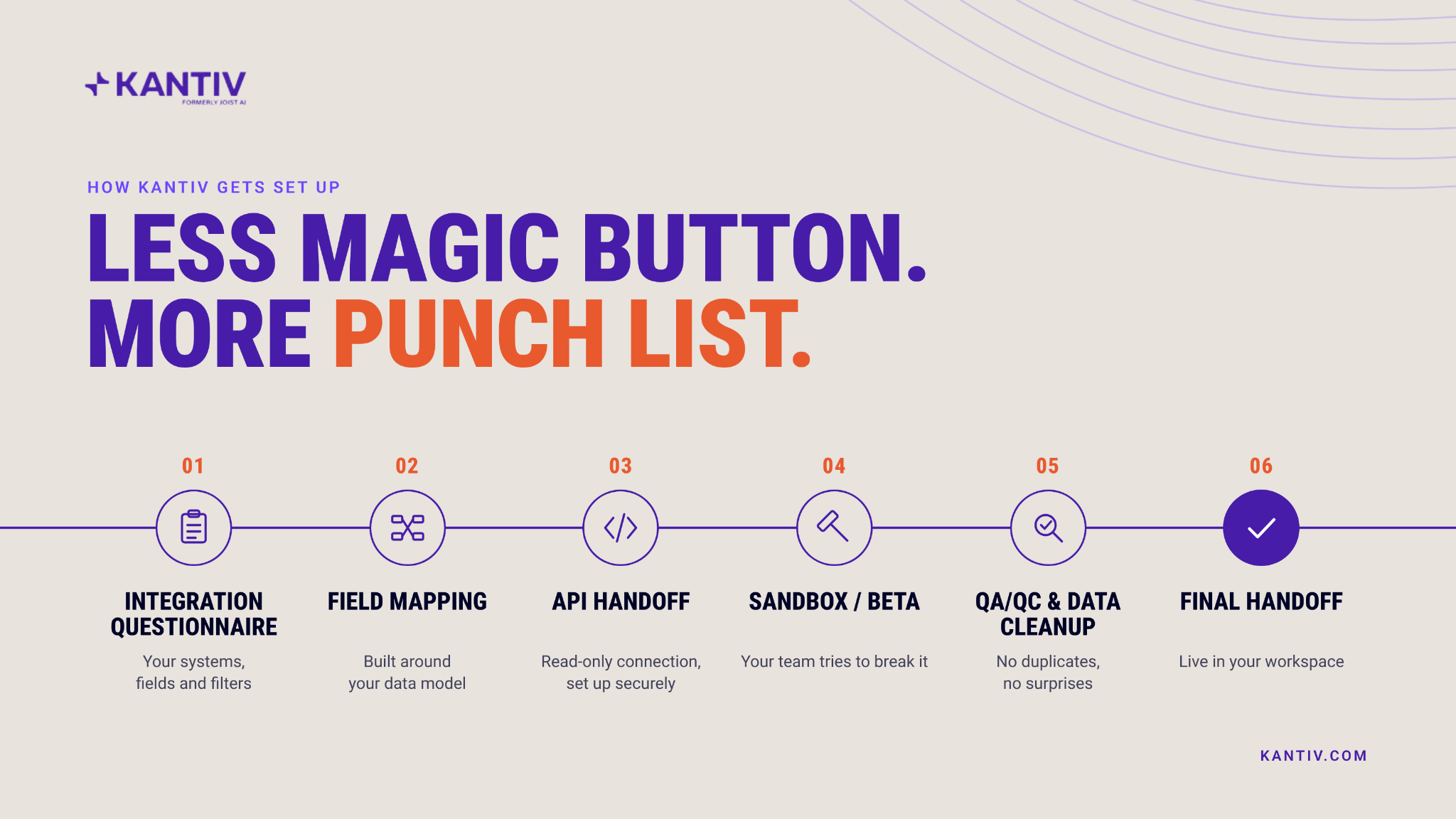
Every step exists because skipping it is how firms end up with duplicate records and a very annoyed proposal coordinator or Marketing Director.
Kantiv can apply field mappings, conditional rules, transformations, labels, sections, and filters, so the data shows up the way your firm actually organizes it, not the way some default template assumes you do.
What this changes for the person actually writing the proposal
In chat, you can ask "who has the strongest healthcare experience for this pursuit?" and get an answer verified against real CRM project history, not whatever got typed into a proposal two RFPs ago.
In drafting, a project description or team bio can come from the CRM record directly. You can stop hunting for the file that has the right numbers in it.
In search, projects that only ever lived in the CRM, never turned into a formatted proposal, become findable. One customer put it this way: "I was able to create a project description, ask questions about a reference, add a client quote, all coming from the integration. When you add proposals on top, it becomes so much more powerful."
That's the actual value: your existing systems, finally answering questions at the moment you need them instead of twenty minutes later, after the third person you've asked says "I think Sarah has that file."
What Kantiv will NOT do (we shoot straight)
In the spirit of candour, these are things Kantiv cannot do:
- It won’t replace your CRM reports: Ask Kantiv how many aviation projects your firm completed in Texas last year, and it will not give you a clean math total. That's a reporting question or database query, and your CRM remains the right tool for aggregate counts. Kantiv is built for relevance-based context retrieval, not accounting audits
- It won’t write back or close out RFPs: It can't mark an opportunity as "Won" or "Lost" on your behalf, without your permission.
- It’s not an instant sync: Updates are not real-time. CRM syncs run weekly to biweekly (limited by how stingy or not your CRM's API rate limits are). File syncs run every 6 to 24 hours depending on setup.
If another vendor claims their AI updates instantaneously, runs your financial reports, and automatically writes data back to your legacy CRM without breaking it, ask them to prove it on a live screen share before signing anything.
Where this leaves you
Integration was never supposed to mean connecting to everything. It means connecting to the handful of systems your firm already trusts, in a way that doesn't ask anyone to change how they work in Deltek or SharePoint tomorrow morning.
Kantiv brings the structured data and approved content your team already maintains into one searchable workspace. Your existing systems stay the source of truth. Nothing about that changes.
If you want to see what that actually looks like against your firm's own CRM, book a demo or send over your questions. We'll walk through the field mapping, not just the pitch.