Found the content on this page useful? Share it with your team!
From Chaos to Clarity: The Workspaces Way

.png)
Table of Contents

Ask five people on your proposal team where last year's award-winning project write-up lives, and you'll get five different answers. A shared drive. A Dropbox link that expired eight months ago. "I think Steve had it." The photo that would actually sell this project is sitting in a photographer's delivery folder from 2019. The reason you lost the last pursuit to this exact client, the one thing that would help you win the next one, is buried in an email thread nobody can find.
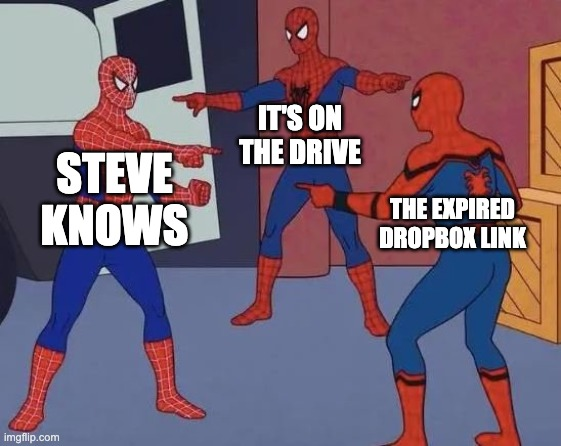
That's one kind of chaos: everything your firm has ever produced, scattered across places that don't talk to each other. There's a second kind, and it starts the moment an RFP actually lands. Work does begin there, but it rarely runs straight through — a draft gets flagged, you circle back for a missing project, a section gets rewritten, more rounds than anyone signed up for. Cramming both into fewer tools doesn't fix either one. It just gives the chaos one address instead of five.
Connected, not just centralized
Most pursuit and content tools solve scattering by giving you more tabs to put things in: one folder for photos, one board for tasks, one drive for documents, one for design, all technically "in one system." But it stops there. Though you have fewer places to put things in, you still have to be the one to remember what exists and where you put them. Workspaces does something different: it builds the relationships between your firm's information on its own, and then surfaces the right knowledge when and where you need it.
In practice, this is what it means:
- Upload a project's proposals, resumes, and images once, and the system connects them, which people worked which projects, which projects won which clients, which photo has already performed in three past submissions.
- Open People or Projects on a new pursuit and it's already surfacing the strongest matches for this specific RFP, ranked by relevance and client experience, before you've searched for anything.
- Link a workspace to the CRM opportunity behind it, and client feedback from a debrief, the real reason you scored a 3.5 out of 5, becomes context that carries into the next pursuit for that client.
In other words, you're never starting from scratch.
Knowing where everything lives, and how it's related, solves the scattering. What you still need is a reason to trust what the system does with all of it once it starts writing.
Source-backed, so you're never taking its word for it
The fear every marketing lead has about anything that AI touches is the same one: what if it made something up? Workspaces answers that by showing its work. Every section it generates carries the sources it pulled from, cited and linked back to the actual document, so you can click through and check a claim before it ever reaches a client. If your firm hasn't done something, it says so as a labeled placeholder instead of inventing a qualification to fill the gap. In an industry where a fabricated claim in a submittal can sink a bid protest, "trust it because it sounds right" was never good enough. Now you don't have to.
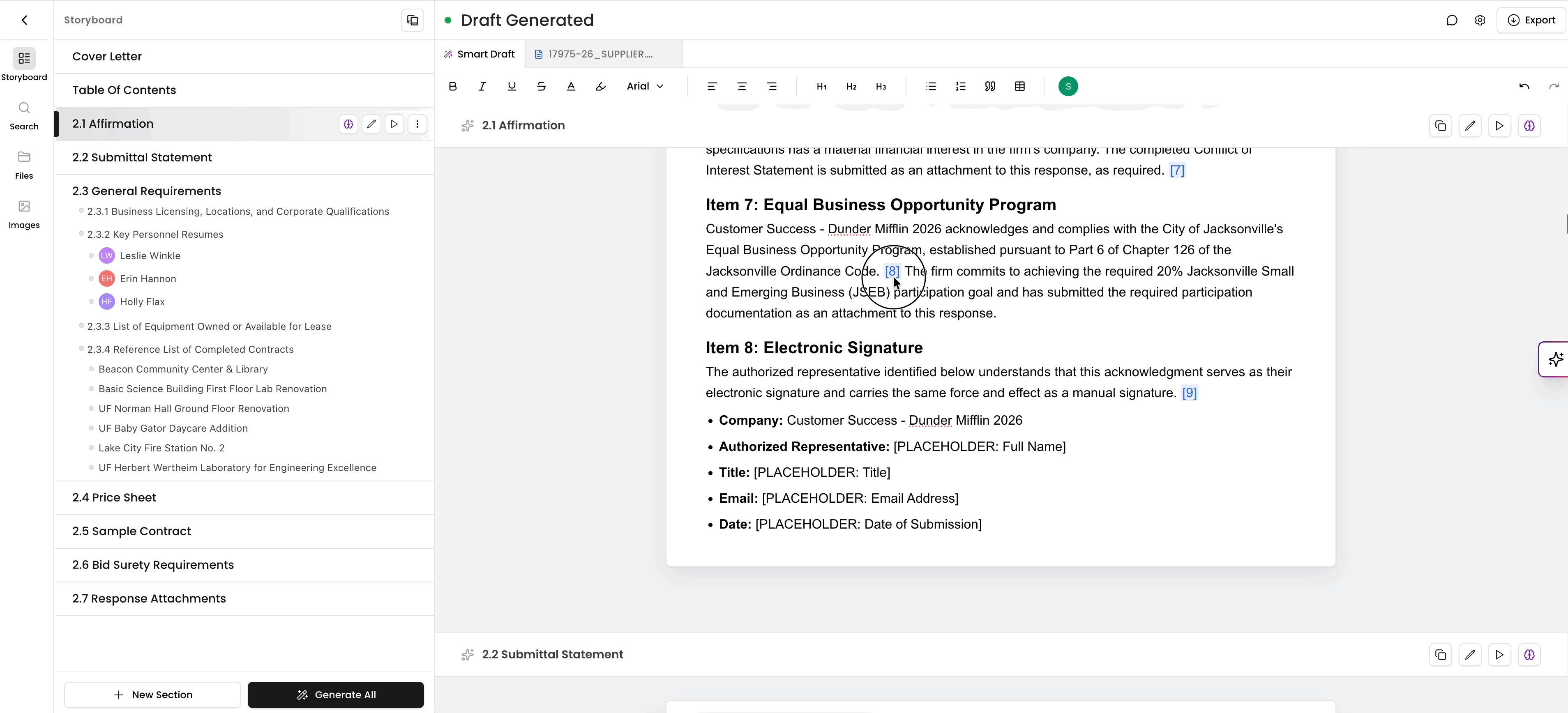
That same respect for evidence carries into how the platform handles compliance, because in this industry, checking your work isn't optional. It's the job, and it doesn't stop at what the AI wrote.
Built around how AEC marketing teams actually work
This isn't a horizontal writing tool with AEC vocabulary bolted on. It speaks in SOQs, SF-330s, and compliance matrices because that's the paperwork your team lives in every day. Compliance Checks map your response against the actual RFP, clause by clause, because the draft and the RFP live in the same workspace. Upload your own checklists for the things the RFP doesn't ask about but your firm tracks anyway, legal, IT, safety, social value, and run compliance against those too. Draft Analysis catches grammar and passive voice, and if you've got a style guide, you can get the platform to check submissions against your own standards instead of a generic one.
How much of that gets seen, and by whom, is a decision the workspace leaves entirely to you.
Private, public, and never locked to one person
Keep a pursuit private when the client's sensitive, or open it up when it's an all-hands push, your call, pursuit by pursuit. Either way, admins keep visibility into it. Nobody discovers mid-deadline that the only person with access to a live pursuit is on a plane.
None of that control costs you ownership of the work itself.
Nothing you build here gets trapped here
Export a draft as DOCX, PDF, or HTML, or export the entire workspace when a pursuit closes out. Nothing about this locks your content into a system you can't get out of. Your firm did the work. It stays yours to take wherever you need it.
Put all of this together, and the real change isn't really the software.
What actually changes
While faster drafts is the ultimate outcome, Kantiv doesn’t simply cut down creation time. The assembling and checking Kantiv’s Workspaces does for you before you ever have to, and how easy it makes it to go back and re-verify any of it on your own timeline, before submission is what makes the difference. The relief is a stronger draft built from work you can actually trust, and a lot fewer Fridays spent digging for something you know exists somewhere.
If your team's chasing something right now, book a walkthrough and bring one of your own pursuits. We'll show you how the whole workflow runs, not just what comes out the other end. Questions before then? Send them over. We'd rather answer them than have you guess.