Found the content on this page useful? Share it with your team!
RFP Content Management for AEC Firms: 7 Strategies to Keep Proposal Content Current


Table of Contents
If you do marketing or proposal work for an AEC firm, you know that winning pursuits often comes down to proving your people and projects are right for the job. But presenting the right proof at the right time is easier said than done. If you’ve ever pulled a resume off the shared drive and wondered whether the license on it is still current, or found two project sheets for the same job with different completion dates, you know this to be true.
That's where RFP content management comes in. In an AEC firm, good content management means keeping the material that goes into every proposal–assets like project sheets, resumes, and technical narratives–current and ready to pull. Done well, it means that when an RFP lands, your proposal manager can quickly surface the projects and people that demonstrate your firm is qualified to win the work.
In this guide, we’ll cover what RFP content management is, why proposal content goes out of date, how to keep it current, and where software can help.
What is RFP content management?
RFP content management is the work of keeping the material that goes into your proposals organized, current, and ready to reuse. In an AEC firm, that material is typically project sheets, staff resumes, the firm profile, technical narratives like your QA/QC and safety approach, client references, certifications and registrations, and project photos.
AEC firms typically keep proposal material in a content library–which, for many, is a shared drive like SharePoint. Many firms mistake just having a library for content management, but the discipline is much more about being able to trust that the content in your library is current, organized, and ready to deploy on the next pursuit.
In practice, that means knowing not just where to find a relevant construction photo, but knowing which project it shows, whether the owner approved it, and whether that approval covers a proposal cover or only your website.
Keeping RFP content dependable takes decisions and upkeep around each item. Details also need to stay connected as your team reuses them. For instance: one project record could support a project sheet about delivery under an occupied renovation schedule, a resume establishing the engineer’s role, and an SOQ for another request, with each drawing different details from the record.
Many firms do the upkeep required to win projects, but do so reactively. That could mean a big cleanup before a recompete, a resume push when someone senior joins, or a project-sheet update when a pursuit needs that project. This approach works in isolated instances, but at scale, it keeps your firm’s top minds doing cleanup or scrambling to find the right evidence rather than focusing on the strategy that actually wins pursuits.
Effective content management is about answering a few questions before an RFP lands. For each project sheet, resume, and photo in the library, your proposal manager needs to know where it is, which project record it came from, who last confirmed it and when, and whether it fits the pursuit in front of them.
Here’s a step-by-step guide to making sure your content management practices help answer those questions ahead of the next pursuit.
1. Decide what is worth reusing
Organization is important, but you can’t organize content efficiently without first deciding which material deserves attention. Even the most heavily stocked folders can come up short if the evidence you need for the next pursuit is missing.
For starters, you’ll want to pay close attention to the qualifications clients ask for most, as well as known evidence gaps for the work your firm wants to pursue. Another project sheet adds little if it doesn’t back up the qualification you actually need, so focus on relevance to the work you want to win.
One proposal leader put it this way to us:
“Pulling up the strong stories and metrics from particular projects is more valuable than incorporating numerous titles of projects that might have repeated scopes.”
Once you've picked the material, think about what each piece claims, and what reusing it asks the firm to stand behind. For instance, a project sheet that says the firm has done this type of work before may be able to go in as is, while a technical approach written for a different project will likely need adapting to a new one.
Those nuances determine the checks each content type needs.
| Content type | Reusable starting material | Supporting source | Checks needed before reuse |
|---|---|---|---|
| Project sheet | Scope and firm’s role | Project records | Relevance; role accurately stated |
| Resume | Person’s contribution | Project and credential records | Current credentials; employer at time |
| Technical narrative | Previous approach | Approved closeout notes | Technical lead confirms applicability |
| Staffing commitment | Proposed availability | Current staffing plan | Availability confirmed |
| Client feedback | Documented feedback | Client feedback record | Context and permitted use |
| Image | Project photo | Permission record | Intended use and restrictions |
To make those checks possible, keep the firm’s role and each person’s contribution alongside the project description, with previous-employer experience distinct from firm experience. You’ll also want to keep sources and image permissions attached or referenced so your team can verify those details.
With that context preserved, your team can now judge how the material fits a given pursuit. For a hospital that stays open during construction, for instance, you can show the phasing plan and access arrangements from your last occupied-facility project, as verified by your technical lead.
A search across past proposals, project records and resumes is the fastest way to recover useful content buried in past proposals. What it returns still needs a source, an owner and a fit check before you tailor it.
2. Know when proposal boilerplate is outdated
Facts can change–even after your team has confirmed that an asset fits the pursuit. A project description can still be perfectly relevant, but if the engineers who worked on it have moved firms, are booked elsewhere, or let a license lapse, the resumes and team claims next to it need a refresh before it goes in.
Christine Heffernan captures this problem well in her post on proposal-content audits:
“Your proposal content library is not a fine wine. It does not get better with age.”
Age might be a tell, but age alone won’t tell you what does and doesn’t belong. Consider the two types of decay you’re up against: factual and contextual. Factual decay leaves a former employee listed as a reference contact. Contextual decay leaves an accurate design award narrative answering the wrong question for an owner who needs to keep a facility occupied during construction.
That contextual mismatch gets harder to untangle if your principal rewrites the narrative around phasing and the proposal manager saves it without checking the source record. The resulting versions now risk making different claims about the same work.
Phrases like "recent experience" and "current team" need the same care, so put the project dates next to the experience, and name the people who have confirmed they're available. Those dates also let you keep older projects in play: a 2015 water plant still proves the firm has done the work, as long as the reader can see when it was built and who from that team is still here.
Boilerplates decay when the facts under them change without anyone noticing. The fix is in the next two steps: giving each fact a named owner, and tying updates to the events that change it.
3. Assign ownership to the facts behind the content
Every fact in the library needs someone who can vouch for it. Marketing can polish a project description, but when it comes to approving the claim that your team managed shutdown coordination on that job, that’s really your technical lead’s job.
That distinction between editing and verification means each type of fact needs an owner:
- Marketing owns the library and how things read
- Project leads own scope and outcomes
- Personnel or credential owners own staff details
Give each content type a named owner and a backup. In a small firm, several of those names will be the same person. That’s fine as long as it’s written down.
The responsibility model below is a good starting point for maintaining reliable source information.
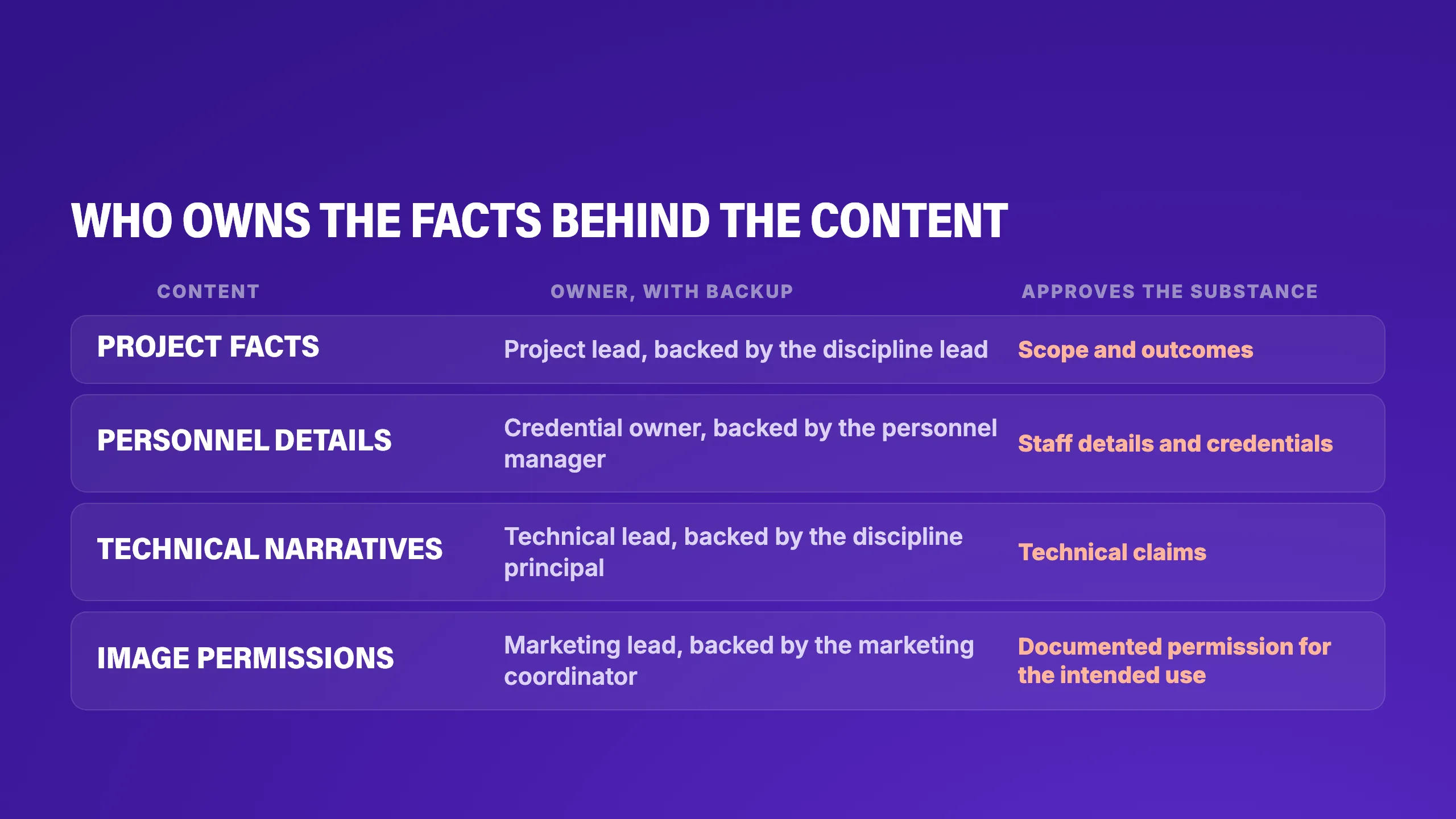
The name in the owner column is a start, but it helps most when the verification request is clear and specific. “Please update this project,” for example, is an instruction, but it’s vague. “Did our team manage shutdown coordination?”, on the other hand, gives your project lead a tangible, specific fact to confirm between meetings.
4. Build an ‘update routine’ around changes and review dates
A full archive cleanup can swallow the hours available for upkeep. Frequently reused records and material needed for upcoming pursuits deserve attention first. The rest can wait.
To keep open questions visible between pursuits, try using a maintenance register like the one below:
| Record name | Source location | Verification owner | Status | Last verified date | Next review date | Event trigger | Open question |
|---|---|---|---|---|---|---|---|
| Project sheet | Project record | Project lead | Pending | Enter date | Set date | Project completion | Final scope confirmed? |
| Resume | Personnel record | Credential owner | Pending | Enter date | Set date | New credential; staff departure | Credential current? |
| Technical narrative | Technical record | Technical lead | Pending | Enter date | Set date | Confirmed outcome | Result substantiated? |
| Project photo | Permission record | Marketing lead | Pending | Enter date | Set date | Revised publication permissions | Intended use permitted? |
At closeout, your project lead should confirm delivered scope and individual contributions, while marketing updates the project record and resumes in the firm’s house style. You’ll want to give each record a scheduled review date: every few months for resumes and staffing, once a year for the scope of a completed project.
5. Keep your SF 330 Part II current for federal work
If your firm pursues federal architect-engineer work, add your SF 330 to your maintenance register. Part II covers your firm’s general qualifications; Part I is used for contract-specific qualifications.
The codified FAR says agencies that maintain qualifications files must review and update them at least annually and should encourage firms to submit an updated Part II. That annual file review is the agency’s responsibility–not a universal annual filing deadline for your firm.
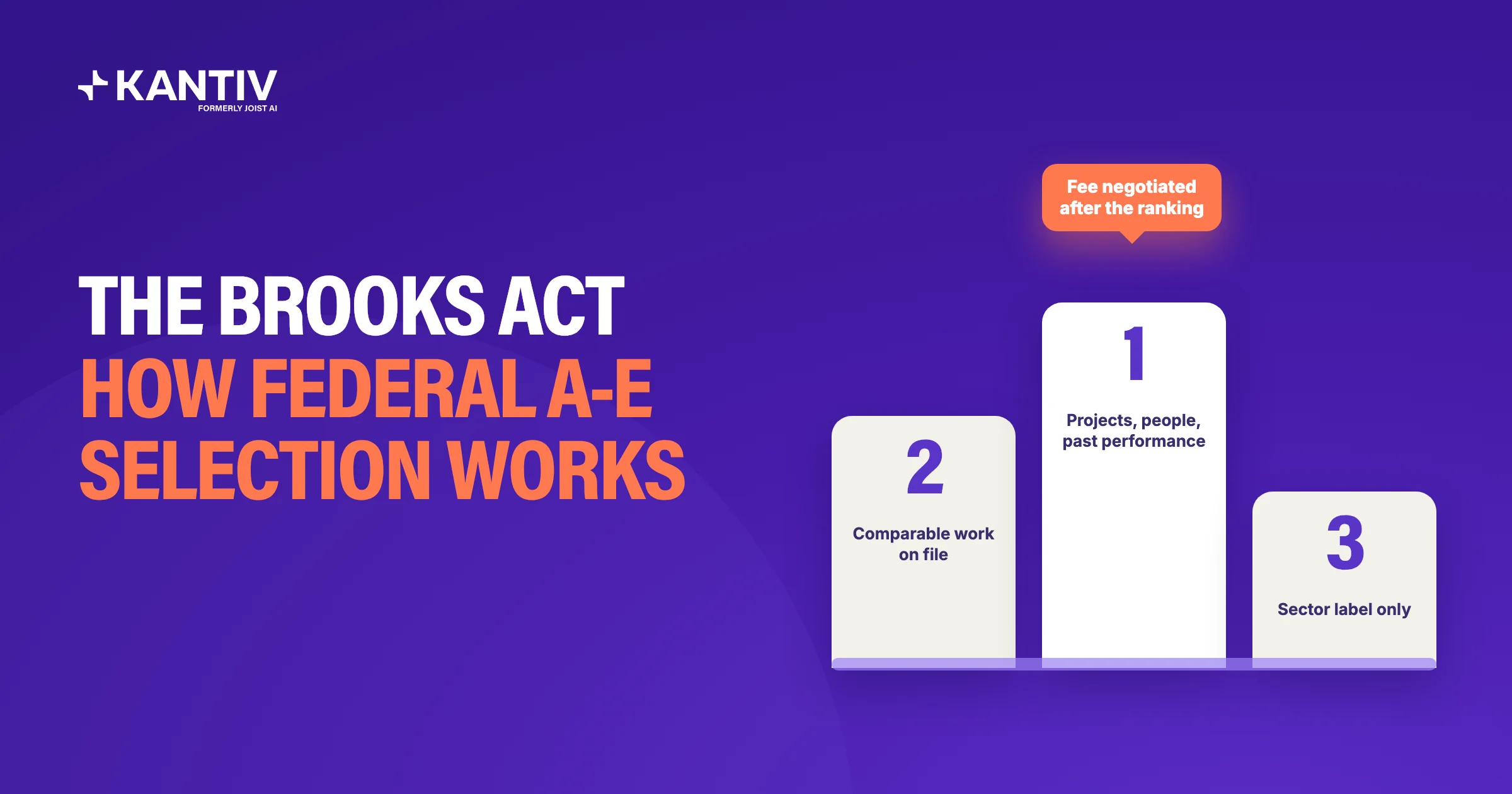
Check the agency’s current instructions, solicitation, and contract for applicable submission requirements. Agency-specific FAR deviations can change which procedures apply. For example, GSA removed the qualifications-file section under its 2025 overhaul deviation and other agencies may follow. Our Brooks Act guide covers what changed.
If your firm holds a USACE A-E IDIQ contract, watch for the contracting office’s request around the anniversary of the base contract award. USACE guidance gives holders an opportunity to update both Part I and Part II; the update is optional under that guidance. Check your contract and the contracting office’s instructions before submitting.
6. Check current content against each live pursuit
A current record isn’t the same as a ready one. Consider your principal’s resume. It can be accurate to the day, but that doesn’t necessarily mean it answers the question the pursuit is asking: is she available to lead this project?
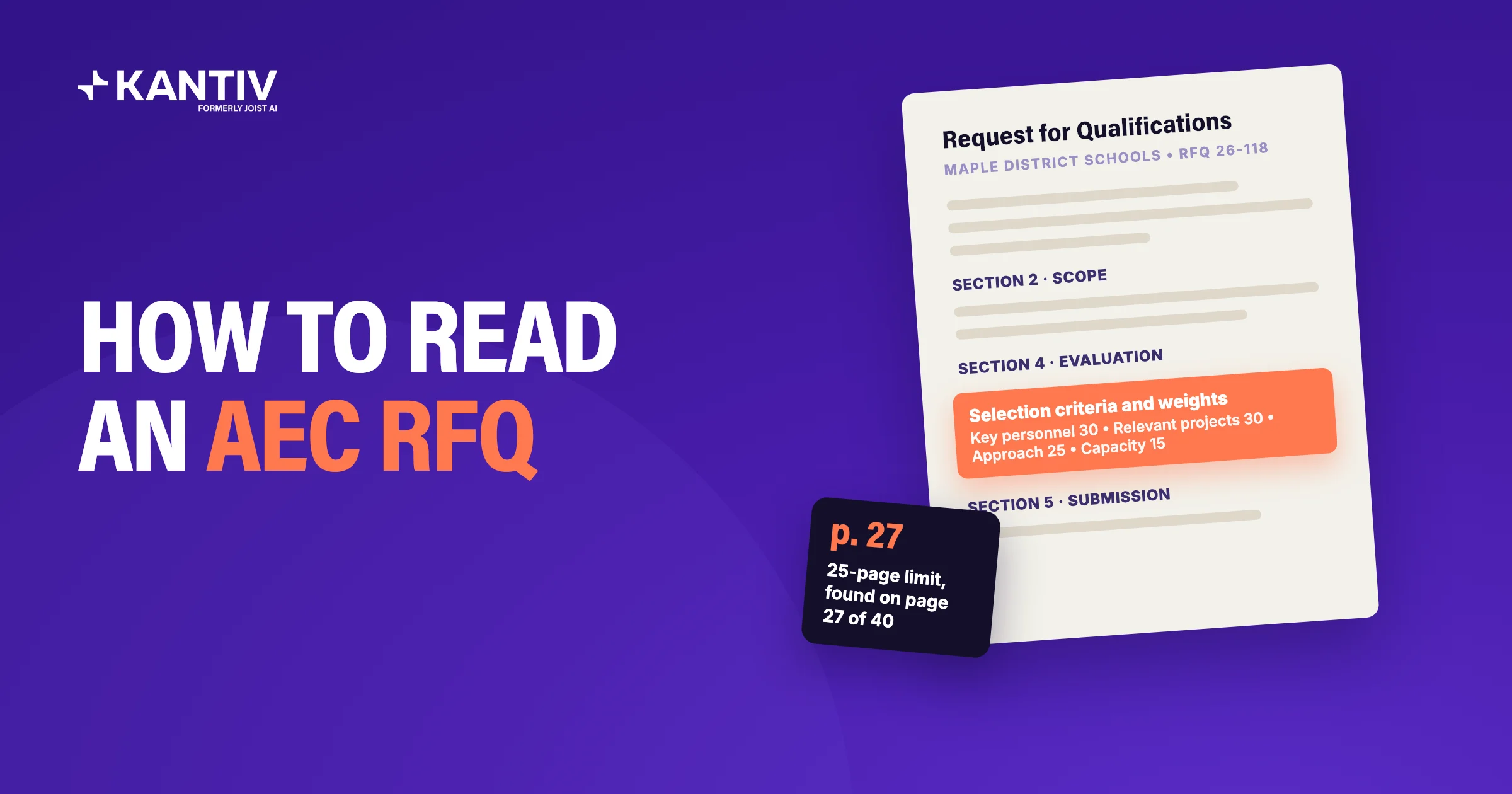
Project sheets have the same gap. The scope can be right and the sheet accurate, and it still may not prove the qualification this solicitation asks for. So read each example you’ve pulled against the evaluation criteria and name the criterion it supports. If there isn’t one, you need a different example or input from a technical lead, approved sheet or not.
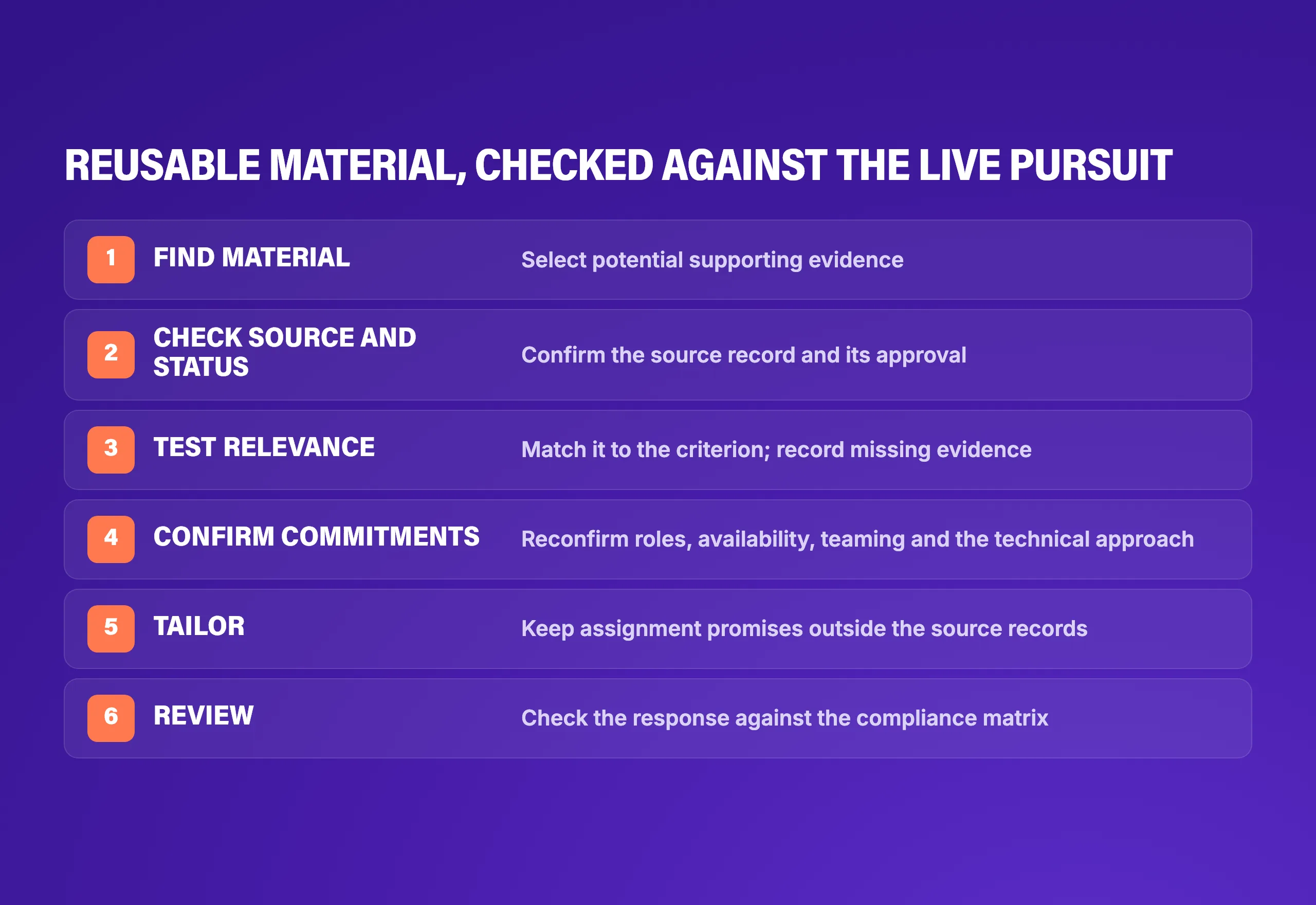
That final check matters because library approval doesn’t establish submission compliance; that honor goes to your compliance matrix. As you tailor material to meet the solicitation's requirements, keep the approved source record separate so a promise to one client doesn’t reappear as a firm fact in your next proposal.
7. Choose the right tools
AEC firms run multiple systems that touch proposal content. For instance, a shared drive like SharePoint might hold the files. An ERP or CRM might hold the project record: client, contract value, dates, and staff. A digital asset manager might hold photos and their usage rights. Some firms also layer on resume and project-sheet tools that generate tailored versions from structured records.
If you’re evaluating software to manage your content, first test whether it helps you inspect the facts behind a file. Ask for the people who led shutdown coordination on a facility that stayed open during construction, and you’ll likely get a resume that lists the project. Then ask whether that engineer actually coordinated the shutdown or was simply on the team, and whether anyone has confirmed it since the project closed.
Add a second resume that gives her a different role, along with a project sheet with no completion date. See whether the software helps your team identify the source of each claim, investigate the discrepancy, and determine what still needs confirming.
The same test applies when you bring pursuit content into a shared workspace. Past proposals preserve what the firm said last time, while the connections among people, projects, clients and pursuits can help your team find relevant information for the next one. Firms often need both.
Jen A. (VP Marketing, Woodard & Curran) puts the principle plainly:
"If you've created it once, you should be able to find the information and use it multiple times."
💡Pro tip: Giving project teams a way to share expertise without writing can make it easier to capture what they know. Kantiv’s Data Collection Agent conducts structured voice interviews and saves summaries to relevant records. Teams can configure full agents for human review before those summaries are saved; auto-approval is also available. Either way, verify the information before using it in a proposal. People still verify proposed updates before they become reusable material.
Fix the facts before the RFP lands
A dependable content library starts with a way to capture changes as they happen. When a project closes or a team member earns a credential, the people who know the details can help keep that information ready for the next pursuit–rather than leaving the proposal manager to track it down on deadline.
Kantiv’s Knowledge Graph connects people, projects, clients, and pursuits, so your team can find relevant experience alongside the records that give it context. Its Data Collection Agent helps gather new details through structured voice interviews and saves summaries to relevant records. Your team can then verify those details and use them to update reusable content like project sheets and resumes.
The result: less time hunting through old files and more time choosing the right evidence and tailoring it to the opportunity.
Want to see how it works? Book a demo, bring a project sheet that needs updating, and see what it takes to make it ready for the next pursuit.
FAQs
What belongs in an AEC proposal content library?
Project sheets, resumes, firm profiles and reusable technical narratives belong alongside the source records that support their claims. Each needs a named person responsible for its accuracy and a record of approval. Client-specific commitments should stay with the pursuit, where the next proposal manager can see their context.
How often should project sheets and resumes be updated?
Updates should follow changes in the work instead of waiting for the next proposal deadline. Project completion, a changed scope or a new professional registration can trigger a refresh. Before reuse, the proposal manager still needs to confirm relevance and any proposed role or availability.
Who should approve changes to reusable proposal content?
The project lead should verify project facts, and the professional named on a resume should confirm experience and credentials. Marketing can check wording and consistency, but technical claims need technical approval. Approval of reusable material doesn’t confirm that a principal is available for the next pursuit.
How is RFP content management software different from a shared drive?
A shared drive can hold the latest approved files, provided your team maintains them. RFP content management software should make source records, responsibility, versions and approval status easier to inspect. The useful distinction becomes clear when two resumes disagree and the proposal manager needs to establish which claim is supported.
Can AI help reuse proposal content without carrying forward outdated claims?
AI can help teams find and gather information, but a fluent draft doesn’t establish that a claim is current. Kantiv’s Data Collection Agent gathers information through structured voice interviews and saves summaries to relevant records. Full agents can be configured for human review or auto-approval; Quick Run results are auto-approved. Before reuse, your team should verify the information, check it against the live solicitation, and confirm any proposed commitments.